
Attack on Titan Paradis ODM and Titan Controls Sheet
Actions to bind — the overlay still wins after every shutdown.
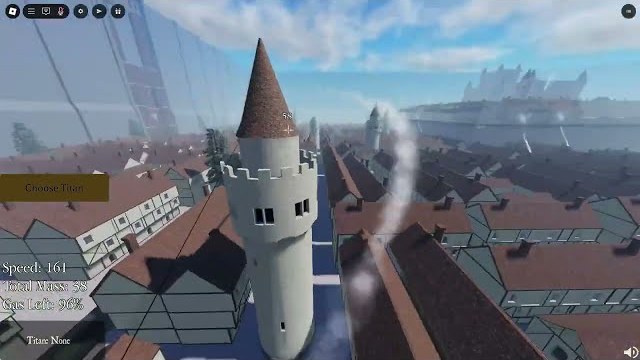
Use this Attack on Titan Paradis controls sheet as a second-screen cheat sheet. The Roblox description says controls are listed in-game. After the map rework, mobile ODMG buttons and console prompts moved. If this table and the overlay disagree, the overlay wins. The long tutorial is ODM controls.
Action list (bind these names)
| Action | Why it exists | Community PC notes | Mobile notes |
|---|---|---|---|
| Move | Walk when gas is empty | WASD | Stick |
| Look | Nape geometry | Mouse | Drag; enable camera assist if offered |
| Left hook | Half of ODM | Often a side key | Left ODMG button |
| Right hook | The other half | Often a side key | Right ODMG button |
| Unhook / release | You must be able to drop a wire | Key-up or cancel | Tap the lit ODMG button again |
| Boost | Spend gas on a live wire | Space-style boost in many AoT clients | Separate boost control |
| Slash / fire | Blades or spears | Attack | Attack |
| Reload / draw blades | Empty hands cannot nape | Often R | Reload icon |
| Titan select | Pick Attack, Jaw, Colossal… | Menu | Panel; rejoin if frozen |
| Transform / eject | Enter and leave titan | Often Z; Colossal N or P in some reports | Transform control; do not cover with boost |
| Roar | Highlight enemies; knockback | Ability button | Ability button |
Details for shifting: how to transform. Details for napes: how to kill titans. Details for thumbs: mobile.
After you spawn (10 seconds)
- Confirm gear is equipped. Hooks that do nothing are empty hands, not a broken bind. Getting started.
- Draw blades.
- Fire one hook at a wall, boost, unhook. If unhook fails, you are not ready for Jaw.
- Look at gas. Find a station on the current area (Paradis, Marley, Another Forest).
- Only then open titan select.
Platform footnotes
PC. Best precision. Use whatever lock-on / shift-lock the current build exposes. Do not copy Revolution key lists.
Mobile. Dual hooks and unhook are the whole game. The ODMG rework exists because people could not do either. Aggressive taps to release are a known workaround if the new buttons still stick.
Console. Prompts were missing, then added. Follow them. Virtual cursor on a codes box is a different problem — how to redeem — and not a combat bind.
Combat extras that are not keybinds
- Leg stun — boosted limb hit, not a separate key. See kill-titans.
- Roar highlight — patch feature. Press roar, then look at who glows.
- Area select — pre-spawn menu, not a fight control.
- Private Server Extra commands — fly/teleport/kill on a paid private panel, not default binds. Game passes.
When a shutdown lands
Recheck this sheet the same night. Transform moving off Z will not be announced in a trailer. The updates hub is your trigger. Then play one empty life testing hook, unhook, boost, reload, roar, transform. Five actions. If all five work, go fight. If one fails, you do not have a “new meta.” You have a moved button.
Print nothing. Glance, queue, fly. The Walls do not pause for a wiki. Keep the tools hub nearby if you also need pass prices while you decide whether extra gas would have saved that last nape. It might have. Unhook would have saved more.
Frequently Asked Questions
Quick answers from the Attack on Titan Paradis wiki.
What is the transform key in Attack on Titan Paradis?
Often Z on PC, with N or P reported for some Colossal setups. Trust the overlay.
How do I reload blades?
Community PC answer is R. Confirm in-game. Empty hands will not nape.
How do I unhook on mobile?
Tap the active ODMG button again. Holding often keeps the wire stuck.
Why do my hooks not fire?
Gear not equipped, no gas, or a covered mobile button. See getting started.